
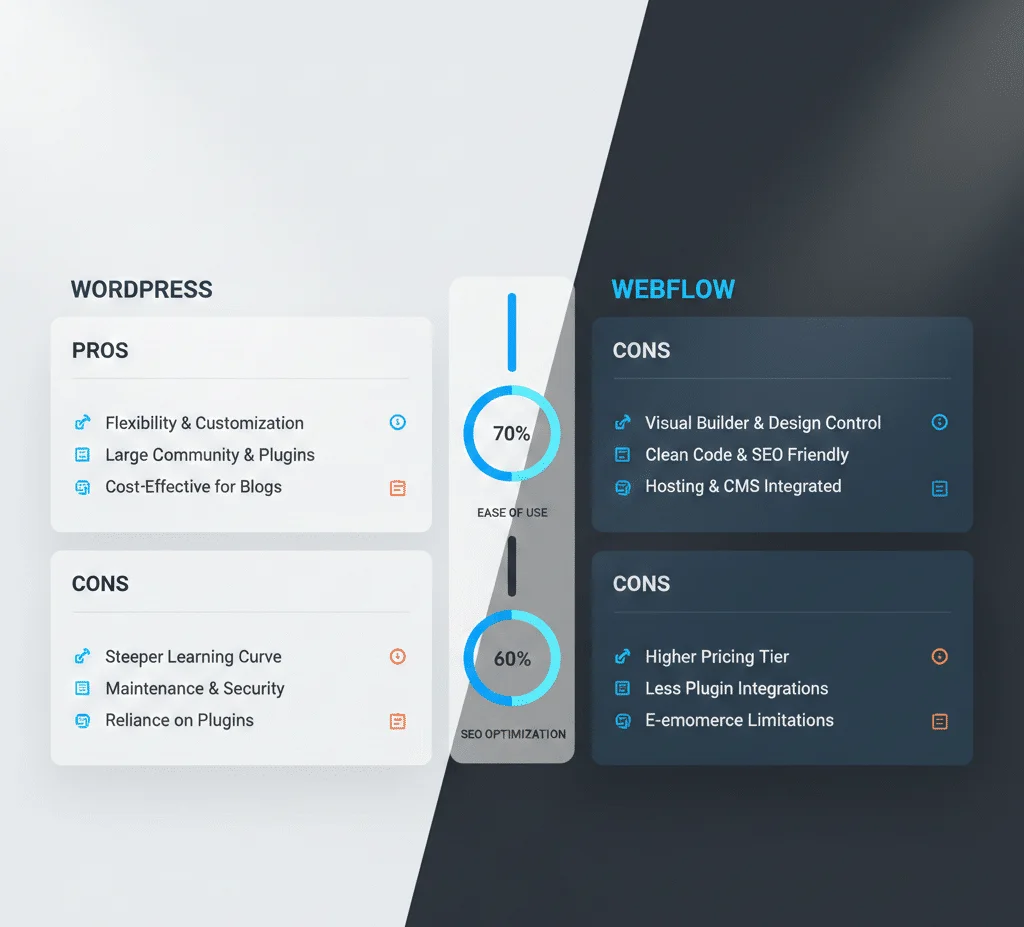
WordPress vs Webflow – Which Is Better in 2026?

Introduction
When planning your next website in 2026, two names stand out: WordPress and Webflow. Both have massive communities, strong ecosystems, and powerful tools — but they are fundamentally different.
Understanding WordPress vs Webflow is essential before investing time, money, or effort into your project.
In this comparison, we’ll explore features, ease of use, performance, SEO, scalability, pricing, and real use cases so you choose the right platform for your goals.
Overview: WordPress vs Webflow
| Feature | WordPress | Webflow |
|---|---|---|
| Core Type | Open-source CMS | Hosted no-code platform |
| Flexibility | Very high | High |
| Customization | Unlimited | High (visually) |
| SEO Control | Full | Good but limited |
| Plugins/Add-ons | 60,000+ | 500+ (Webflow Marketplace) |
| Hosting | Any provider | Built-in (Webflow hosting) |
| Cost | Free core (+hosting) | Paid plans only |
| Ease of Use | Moderate to advanced | Easy to medium |
This sets the stage for deeper comparison.
1. Ease of Use & Learning Curve
WordPress
WordPress is beginner-friendly but requires learning:
✔ Hosting setup
✔ Themes and plugins
✔ Backups and security
✔ Customization options
The learning curve depends on tools you choose (Elementor makes it easier).
Webflow
Webflow’s visual builder is intuitive — drag-and-drop, timeline animations, and real-time interactions.
Webflow is easier for designers but still has learning curves for:
✔ CMS structure
✔ Responsive settings
✔ Interactions & animations
Verdict:
Webflow wins for visual design ease; WordPress wins for flexibility once mastered.

2. Customization & Extensibility
WordPress
WordPress wins hands down on customization:
- Tens of thousands of plugins
- Unlimited themes
- Custom post types
- Full access to HTML/CSS/PHP
- WooCommerce for eCommerce
You can build anything — membership sites, marketplaces, LMS platforms, booking systems, complex web apps, and more.
Webflow
Webflow is strong in visual design and animations, but:
❌ Fewer plugins
❌ Less backend control
❌ Complex logic requires workarounds
Verdict:
WordPress is more customizable for almost any website need.
3. Performance & Speed
Performance in 2026 is crucial for SEO and user experience.
WordPress
Performance depends on:
✔ Hosting quality
✔ Caching plugins (LiteSpeed Cache, WP Rocket)
✔ CDN integration
✔ Theme optimization
WordPress can be extremely fast with proper optimization.
Webflow
Webflow has fast hosting with built-in CDN and optimized delivery. Out of the box, Webflow sites load quickly.
Verdict:
Tie — Webflow faster by default, but WordPress can be optimized to match or exceed it when configured properly.
4. SEO Capabilities (2026)
Both platforms support SEO, but in different ways:
WordPress
With tools like Rank Math and Yoast, WordPress offers:
✔ Full control over meta titles & descriptions
✔ Schema automation
✔ Breadcrumbs
✔ XML sitemaps
✔ Rich snippet support
WordPress remains a favorite for SEO professionals.
Webflow
Webflow supports:
✔ Custom meta tags
✔ Alt tags
✔ Fast hosting
✔ Clean code output
However, SEO depth + plugins ecosystem still leans toward WordPress.
Verdict:
WordPress has a slight edge due to plugins and flexibility.

5. eCommerce & Scalability
WordPress (WooCommerce)
WooCommerce on WordPress powers millions of stores worldwide.
Pros:
- Unlimited products
- Extensions for subscriptions, bookings, memberships
- Payment gateways
- Powerful inventory control
Webflow eCommerce
Webflow offers eCommerce plans with:
✔ Custom checkout
✔ Design control
✔ CMS-based catalogs
But:
❌ Smaller ecosystem than WooCommerce
❌ Higher pricing for advanced features
Verdict:
WordPress + WooCommerce is better for complex stores.
6. Pricing Comparison (2026)
WordPress
✔ WordPress core: Free
✔ Hosting: $3–$50/month
✔ Premium plugins: $50–$200/year each
✔ Developer support (optional)
Webflow
✔ Site plans: $18–$49/month
✔ Ecommerce: $29–$212+/month
✔ Transactions & design limits
Verdict:
WordPress can be cheaper or more expensive depending on plugins — but offers more scale.
7. Security & Maintenance
WordPress
Requires maintenance:
✔ Plugin updates
✔ Theme updates
✔ Core updates
✔ Backups & security hardening
Security plugins (Wordfence, Sucuri) help.
Webflow
No updates or plugin maintenance — hosted ecosystem handles security.
Verdict:
Webflow easier for non-tech owners; WordPress requires attention but gives more control.

Real World Use Cases
Choose WordPress If:
✔ You want unlimited customization
✔ You plan to scale the business
✔ You need plugins for bookings, LMS, forums, marketplaces
✔ You care deeply about SEO ranking depth
Choose Webflow If:
✔ You want fast design without coding
✔ You are a designer or agency showcasing portfolios
✔ You need hosted performance with little maintenance
Conclusion
When it comes to WordPress vs Webflow in 2026:
- WordPress wins for flexibility, customization, and SEO control
- Webflow wins for visual design ease and maintenance simplicity
Both platforms are strong — your choice depends on business needs, budget, and technical comfort.
If your goal is long-term growth, advanced features, and SEO dominance, WordPress is the safer long-term winner.
👉 Visit my Services Page
👉 Check out my Fiverr Profile to get started!


